



Photography Tips
Photo Tips – How to Properly Photograph Your Artwork
We’re here to help you interact with your art assets quickly and effectively.
Sometimes it’s hard to fully grasp the value of a piece – especially if it’s been in your collection for a while or was inherited. But with our Valuation & Prediction model, you can uncover the true worth of any artwork.

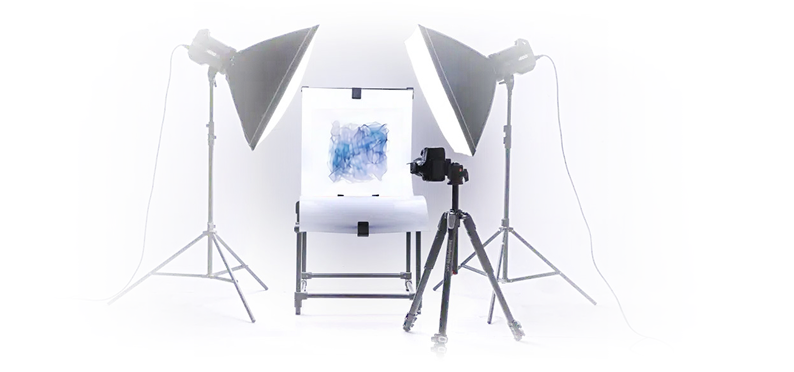
All you need to do is take clear, high-quality photographs.
The better the photo – the more accurate the result. Below, we’ve put together simple but essential guidelines to help you present your work at its best.

Why is this important?
Properly taken photographs help to:
- Conduct accurate visual evaluation and analysis
- Avoid repeat requests and unnecessary delays
General Recommendations
- Take photos in daylight or with neutral artificial lighting
- Avoid using flash – it causes glare
- Use a tripod or steady surface to prevent blurriness
- Make sure the artwork is fully in frame and in focus
- Photograph without glass if it creates reflections
Common Mistakes
Glare and Reflections
Using flash or shooting through glass often creates glare and reflections that blur details and lower image quality.
To avoid this, turn off the flash and shoot at an angle or place the camera lens close to the glass to minimize reflections.
Blur and Poor Focus
Photos become blurry if the camera moves during shooting or is not properly focused. This makes it difficult to analyze texture and fine details. To avoid this, keep the camera steady – use a tripod or rest it on a stable surface – and tap to focus on the artwork before taking the shot.

Incorrect Shooting Angle
Strong tilts or angled shots distort the proportions of the artwork, resulting in inaccurate visual assessment. To avoid this, position the camera directly in front of the artwork, keeping it level and centered for a true-to-scale capture.
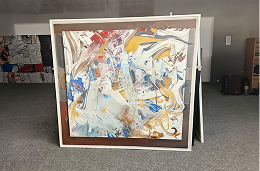
Insufficient Lighting
Dark or overly contrasted photos fail to reveal all features and may hide important details. To avoid this, shoot in good, even lighting – preferably natural daylight – and avoid harsh shadows or overly strong contrast filters.
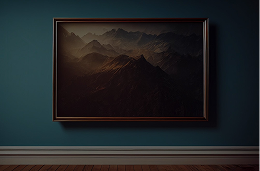
Partial Cropping
If parts of the artwork are cut off in the frame, important elements and identifying features may be missed. To avoid this, ensure the entire artwork fits clearly within the frame, leaving a small margin around the edges for context.
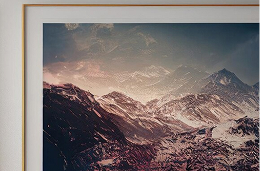
Distracting Background
A background with bright, busy, or distracting items (furniture, carpets, other objects) draws attention away from the artwork. To avoid this, photograph against a plain, neutral background.
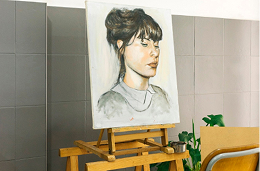
Use of Filters and Editing
Filters and color corrections distort the natural colors and texture, negatively affecting accurate evaluation.
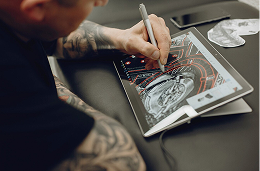
Missing Required Angles
Close-ups, photos of signatures, the back side, and other important details necessary for verification and analysis are not provided. Remember: the more visual details and information we receive, the more accurate and reliable the artwork’s evaluation and prediction will be.
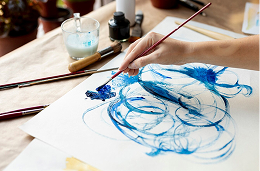
Ready?
Required Angles

Front-facing photo of the entire artwork
Taken straight on, centered, and without distortion

Close-ups
Show texture, signature, brushstrokes, or other notable details

Backside photos
If possible, include the reverse side of the artwork

Signatures, marks, numbers, labels
Capture any identifying features

Documents
Include certificates, provenance records, or gallery stickers if available
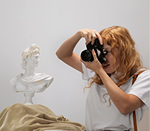
Tips for 3D Objects
- Photograph from all sides (at least 3 angles)
- Use a solid, neutral background
- Include dimensions or a reference for scale
Formats and Resolution
- Please upload a valid image file (.jpg, .jpeg, .png) or a direct image URL (.jpg, .jpeg, .png, .webp, .gif)
- No filters, edits, or watermarks – keep the image original and unaltered
What to Avoid
- Photos with glare, distortion, or heavy shadows,
- Shots taken at strong angles or with noticeable tilt,
- Artworks not fully captured in the frame,
- Backgrounds with distracting elements (rugs, furniture, clutter, etc.).
If you have any questions, feel free to contact us at [email protected]
Need Help?
Frequently Asked Questions
If you have any questions, feel free to contact us at [email protected]
If the image does not meet the requirements, we will not be able to conduct an accurate analysis or authentication. In this case, we will definitely contact you. However, if you do not receive feedback within a reasonable time, it would be great if you initiate contact yourself – this way, we can clarify everything faster and continue working.
Only if there is no glare or distortion. Ideally, remove the artwork from the frame/glass for a clean photo.
No. Filters and edits distort the original appearance of the artwork, which prevents accurate evaluation.
Check if you have a front-facing shot, close-ups, signatures/marks, the backside, and documents. It’s better to send a bit more than not enough.
A good smartphone works fine. The main thing is to follow the recommendations: daylight, no glare, focused, and clear images.